TSBoss Thiele/Small Best Open Speaker Simulator· v0.1.0
v0.1.0 — Desktop · Qt6 · C++17 Early beta -be Kind  model and compare with TS parameters 

Measure & manage,
Model & Compare.

TSBoss  is a desktop application that empowers you to enter TS parameters of a driver and then model it in various enclosures. you can enter the numbers from a datasheet and calculate missing values or follow a built-in step-by-step guide with some basic test equipment to do your own measurement. The app is designed to be intuitive and informative.            


Fs · Free-air resonance
27.97Hz

What should i look for?

Qts · Total Q factor
0.341

What does this affect?

SPL @ 2.83V/1m
87.83dB

How is this even calculated?

§ 01What it does

Three things,
kept simple.

A measurement guide, a place to keep your drivers, and a quick way to see what they'll do in a box.

Part 01 — Enclosure

Try a box, see the curve.

Pick a driver, type a volume, choose an enclosure type. The plot updates. Drop in a second model to compare. It's meant to be the kind of tool you can poke at while you're sketching a cabinet.

  • PlotsSPL response, group delay, and voltage limit curves.
  • StackCompare several boxes on the same axes.
  • PortRound or rectangular — TSBoss computes the length for you.
  • Box typesSealed, vented, 4th order bandpass, 6th order bandpass, and infinite baffle.
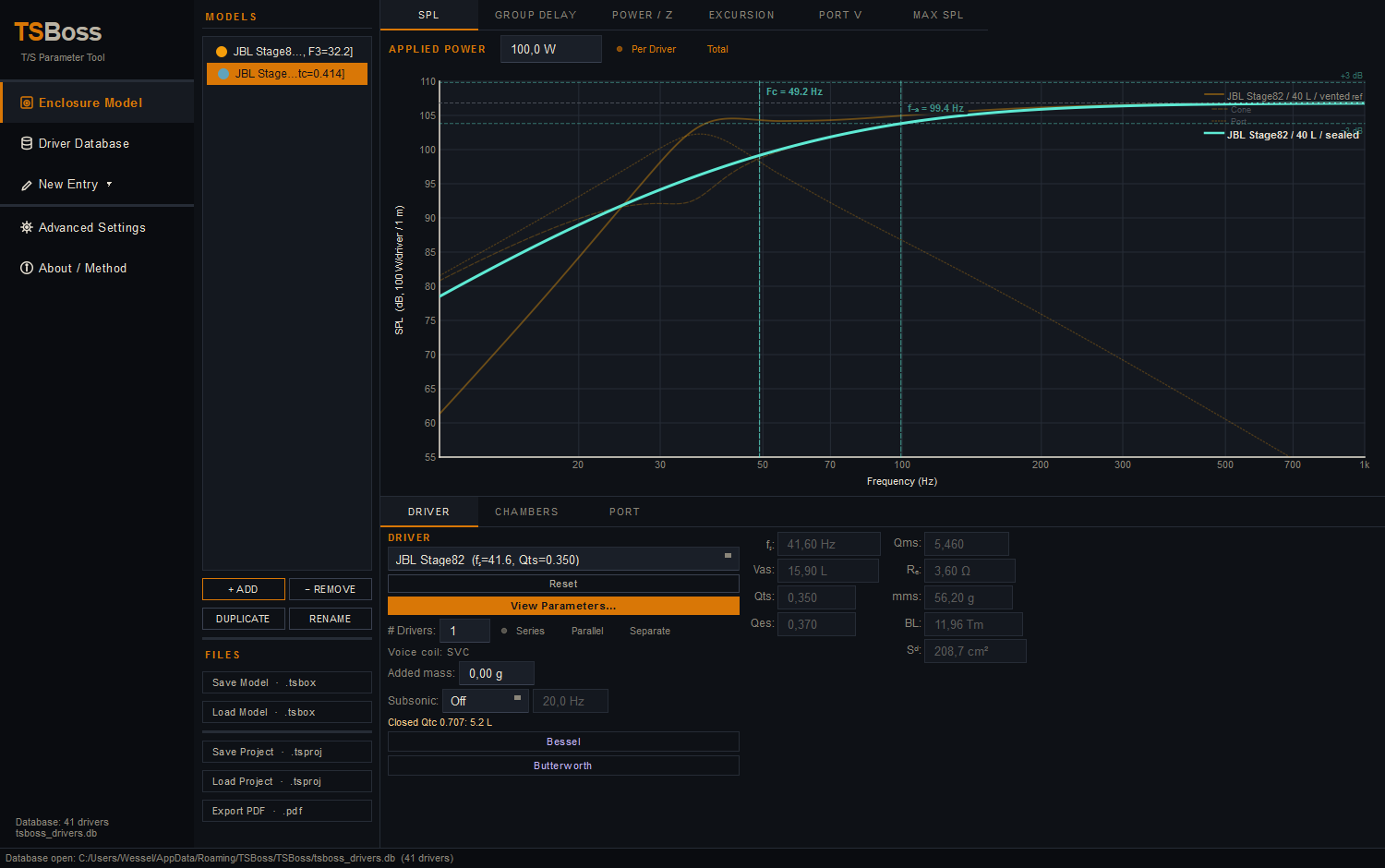
TSBoss enclosure modeller — SPL response
01 — Comparing two enclosure models
Part 02 — Database

A place to keep your drivers.

A simple local list of every driver you've measured or copied from a datasheet. Sort, search, edit, import or export to CSV. Nothing leaves your computer.

  • ListQuick searchable table of everything you've entered.
  • EditClick any row to see and change the full record.
  • CSVImport a batch from a spreadsheet, export when you need to.
  • LocalOne SQLite file on disk. No account, no cloud, no telemetry.
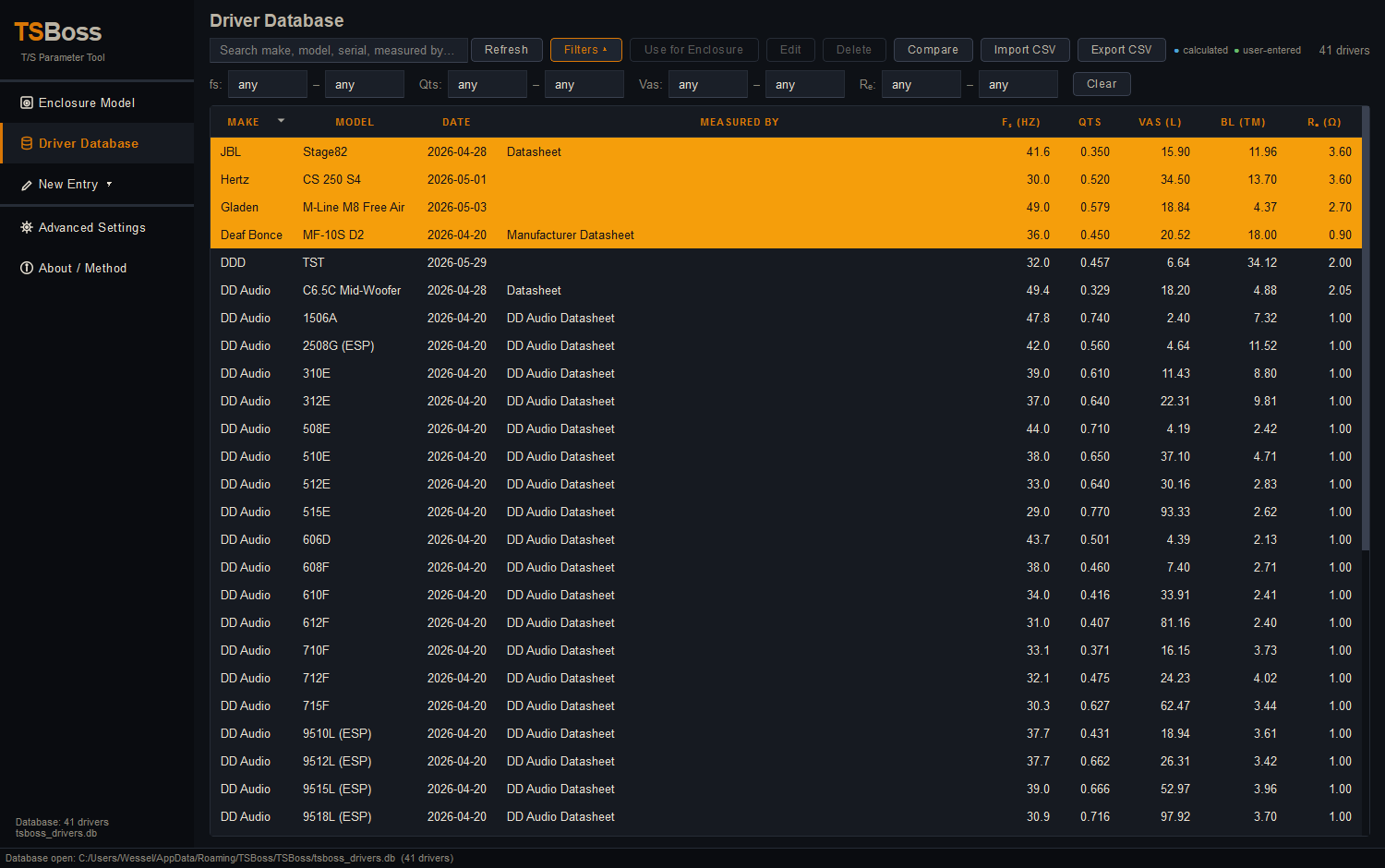
TSBoss driver database list
02 — Driver database list view
Part 03 — Wizard

A step-by-step guide, in the app.

If you want to measure a driver yourself, TSBoss has a built-in walkthrough that takes you from the first impedance reading to a saved record. You can do it with fairly basic bench equipment — an amplifier, a voltmeter or scope, and a small series resistor.

  • GuideThe full procedure is built right into the wizard.
  • InputsType values in whichever format your meter shows.
  • SVC/DVCBoth single and dual voice coil paths are supported.
  • OutputThe wizard finishes by saving a complete driver record.
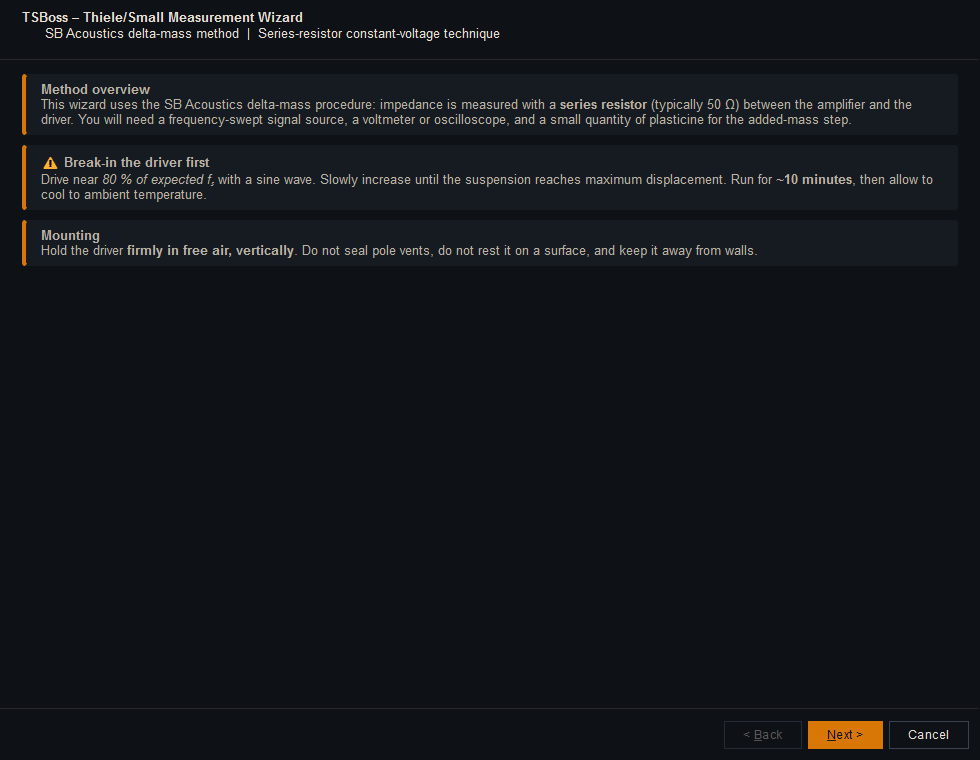
TSBoss T/S wizard
03 — The built-in measurement wizard
§ 02Why bother

Made to be
easy to use.

The point of TSBoss is to make T/S parameters feel approachable. Type a few values, get the rest for free, and see a plot you can actually read.

01

Friendly to enter.

Forms are laid out the way the data actually lives on a datasheet. Sensible defaults, clear labels, and hints next to the fields that need them.

02

It does the maths.

From a handful of measurements, TSBoss can fill in Qts, Qes, Qms, Vas, BL, mms, Cms, Sd, sensitivity, and the rest of the usual T/S family.

03

Light & dark themes.

Cream-paper or charcoal — both ship with the app. Pick whichever's easier on your eyes at 2 a.m. in the workshop.

Measuring your
own drivers.

The full step-by-step procedure is included inside the app.

TSBoss has a step by step guide for measuring parameters with a simple set of tools. Open the wizard, click through, and it walks you from the first reading to a saved driver record.

You don't need a lab — an amplifier, a multimeter or oscilloscope, a series resistor, and a little patience are enough to get useful numbers out of a driver you already own.

Get the app
The built-in measurement guide
§ 03About

Why this exists.

TSBoss is a small project, made by one person, for the kind of speaker builder who wants something a little friendlier than what's out there.

I've built a quite a few speaker boxes over the years, and every time I went looking for software to model them I came away a bit disappointed. The options out there are outdated, poorly maintained, lacking in features or are paid options with cloud databases that don't really solve a problem of accuracy of drivers info. If only i could easily load parameters knowing what they are and what their dependencies are, manufacturers datasheets all of which seems to value different parameters and then don't seem to correspond in math. How are we to know what wil give more accurate results.

TSBoss is my answer to that. The goal is simply to make T/S parameters easier to understand, easier to enter and verify, and — if you've got a bench and a few components — possible to measure yourself without expensive instruments.

⚠ Status
Early
beta.

TSBoss is in early beta and very much a work in progress. Not every feature is fully functional yet, there are bugs I already know about, and almost certainly a few I don't.

If you run into something broken, or there's a feature you'd like to see, please tell me — bug reports and feature requests are genuinely welcome and very useful while the app is still finding its shape.

Report a bug Request a feature
§ 04Releases

Download v1.1.0

Same source on every platform. Please remember this is an early beta — keep an eye out for the occasional rough edge.

◆ Linux
appImage
x86_64 · Qt6 bundled · runs anywhere
Size~54 MB
Build1.1.0
Date2026-05-22
Download .AppImage
sha256 · 7518cf…06d506
◆ Windows
installer
x64 · installer
Size~19 MB
Build1.1.0
Date2026-05-22
Download .exe
sha256 · ca7c2b…b7fc4
◆ macOS
disk image
Universal · 11 Big Sur and newer
Size~38 MB
Build0.1.0
Date2026-05-17
Download .dmg
sha256 · 0000…0000 (replace at release)

…or build it
yourself.

# clone
git clone https://github.com/you/TSBoss && cd TSBoss

# configure & build
cmake -B build -S . -DCMAKE_BUILD_TYPE=Release
cmake --build build --parallel

# run
./build/TSBoss
§ 04Roadmap

Upcoming &
planned.

TSBoss is actively developed. Here's what's on the bench next — the features I'm working toward to make modelling and documentation sharper.

01

Inner port surface area effect.

Account for the internal port opening's surface area in the acoustic model, so vented tunings reflect real port loading rather than length alone.

02

More informative details.

Richer parameter readouts and contextual explanations throughout the app, so every number tells you what it means and how it was derived.

03

A full usage manual.

A complete, written guide covering measurement, the database, and enclosure modelling — from first reading to a finished box design.

04

Better PDF extract.

A cleaner, more complete PDF report — clearer plots, fuller per-model breakdowns, and a layout built for printing and sharing.